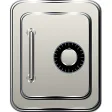

Hide your files from other users
Do you share your PC with other users? Maybe they're nosy, or you've got files you don't want to share. My Lockbox is a great little solution for the user who wants to keep some files away from prying eyes.
After installation, a destination folder is chosen to be locked, and a password must be given, along with a reminder question. It's then necessary to restart Windows. Once done, there is a My Lockbox icon, which when double clicked prompts you for the password, which in turn gives access to the destination folder.
Adding files to your locked folder is the same as with any folder, but when you 'lock' it, it will disappear. The locked folder is only visible when My Lockbox is open and unlocked.
My Lockbox is not serious security, as it does not encrypt files, but for average desktop users, it provides a solid privacy service. However, if government agents come knocking, looking for those secret extra terrestrial files you stole, you will be in trouble, and should have used an proper encryption application.
As well as basic configuration tools, there are a range of skins to choose from on My Lockbox, so My Lockbox fits nicely on your desktop. It's a breeze to set up, and as long as you don't forget your password, your documents won't get lost.
My Lockbox is ideal for users who want to obscure files from their irritating brothers or sisters etc, but won't protect you from serious hackers!
Several bugs fixed
Changes
Several bugs fixed































User reviews about My Lockbox
by Anonymous
It's good.
Im using the free edition. It's working well. About a year and have no problems.
by Anonymous
Password won't work now.
I installed My Lockbox 2.3.11 on my pc running XP quite awhile ago and locked a file with a password. Now I can't open that file with the password I set before. It keeps saying my password is invalid. I can't even delete the program. Please help.Mike More
by Anonymous
My Lock Box help.
I had installed My Lockbox on my PC running Windows 7. Due to some unfavorable situation I had to reformat my C drive without unblocking My Lockbox files and installed XP.. Now the problem is I can't open my locked files. It says "XXX is not Accessible. Access Denied".. Plz help me to recover those files..I have amy improtant files saved...Any help is highly appreciated. U can e-mail me at psionicrnd@gmail.comThank You.
Ashish More