Icon of program: My Lockbox

My Lockbox for Windows

  • Free
  • 3.7
    543
  • 414.8K
  • V5.1
Free Download for Windows

View an ad to download for free

Kristina Schulz

Updated last year

Hide your files from other users

Do you share your PC with other users? Maybe they're nosy, or you've got files you don't want to share. My Lockbox is a great little solution for the user who wants to keep some files away from prying eyes.

Top Recommended Alternative
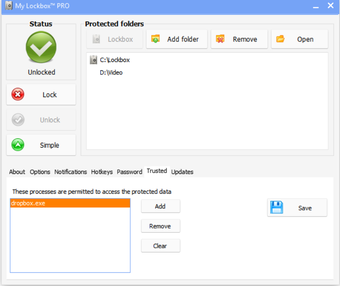
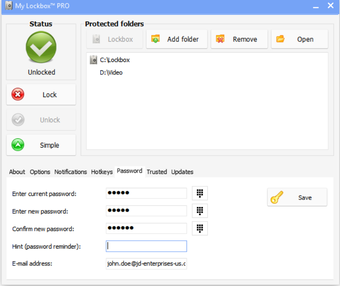
After installation, a destination folder is chosen to be locked, and a password must be given, along with a reminder question. It's then necessary to restart Windows. Once done, there is a My Lockbox icon, which when double clicked prompts you for the password, which in turn gives access to the destination folder.

Adding files to your locked folder is the same as with any folder, but when you 'lock' it, it will disappear. The locked folder is only visible when My Lockbox is open and unlocked.

My Lockbox is not serious security, as it does not encrypt files, but for average desktop users, it provides a solid privacy service. However, if government agents come knocking, looking for those secret extra terrestrial files you stole, you will be in trouble, and should have used an proper encryption application.

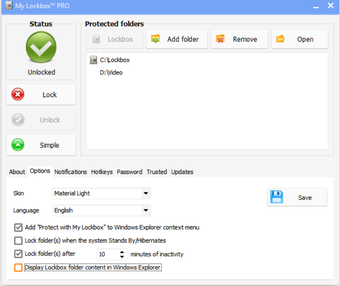
As well as basic configuration tools, there are a range of skins to choose from on My Lockbox, so My Lockbox fits nicely on your desktop. It's a breeze to set up, and as long as you don't forget your password, your documents won't get lost.

My Lockbox is ideal for users who want to obscure files from their irritating brothers or sisters etc, but won't protect you from serious hackers!

Several bugs fixed

Kristina Schulz

Kristina has professional experience in Europe, the United States, and Asia, specializing in communication and languages. She values adaptability in multicultural settings and brings this perspective to her writing. Her content reflects clarity, cross-cultural awareness, and practical expertise in connecting ideas through language.

  • Pros

    • Easy to set up
    • Keeps your sensitive files away from other users
  • Cons

    • No encryption
    • Existence might make people suspicious!
 0/3

App specs

Program available in other languages


Icon of program: My Lockbox

My Lockbox for PC

  • Free
  • 3.7
    543
  • 414.8K
  • V5.1
Free Download for PC

View an ad to download for free


User reviews about My Lockbox

3.7

1 reviews

Add review

Main reviews for you

  • Anonymous user

    It's good. Im using the free edition. It's working well. About a year and have no problems.

More

You may also like

Alternatives to My Lockbox

Explore Apps

Latest articles

Laws concerning the use of this software vary from country to country. We do not encourage or condone the use of this program if it is in violation of these laws.
Softonic

Is My Lockbox safe?

98/100

Score result: Clean

This file passed a comprehensive security scan using VirusTotal technology. It is safe to download.

  • Virus free
  • Spyware free
  • Malware free
  • Verified by Security Partners

    VirusTotal logo

Scan Info

Last scan
Monday, June 23, 2025
Scan provider
VirusTotal · Full report

File Integrity

File
My_Lockbox_V5.1.exe
SHA256
b1f0378982d8cc9388b3a424da6d6e0d91986fd582af03e6b330b63bfe210db1
SHA1
b9d96ffce59c8479b05f37a0213badbaa14887ec

Softonic security commitment

My Lockbox has been thoroughly scanned by our advanced security systems and verified by industry-leading partners. This file comes from the official developer and has passed all our security checks, showing no signs of viruses, malware, or spyware. For more information, visit our Security and Trust Center

Signed in to Softonic as